Go to the Product Data section, it should look like this:

Select the tab called ‘Product Add Ons’

Your screen should now look like this:

Now select Add Group

It should look like this:
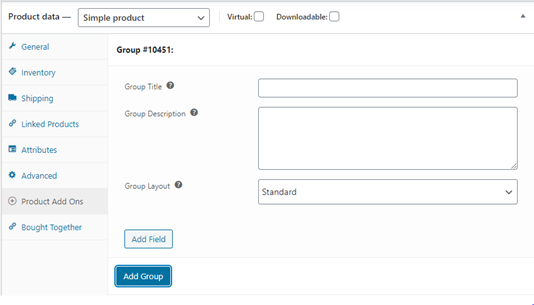
Add a Group Title, for example ‘personalisation’ and a group description (optional)
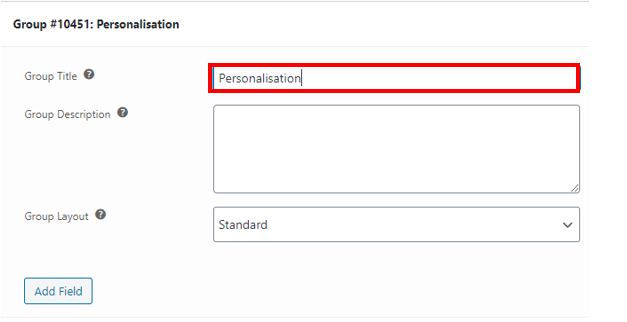
Now select Add Field

Your screen should look like this:

Enter the name for the personalisation in the Field Label text box, this will be displayed to the customer. For example, ‘Name’

Now select the Field Type drop down menu and select Text
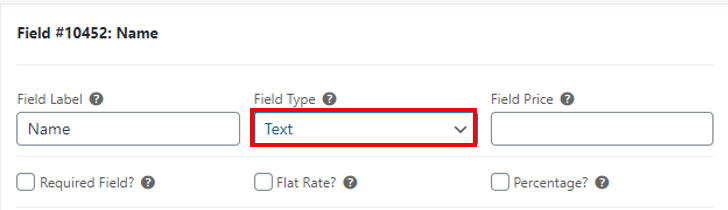
Your screen should now look like this:

Now add the min and max number of characters in the Min Chars and Max Chars text box

If you want to add more personalisation lines repeat steps 5-8
Finally Publish or Update the product